


Up to 40% off, limited timeTry Now

AI Image Generator Every Leading Model

One workspace. gpt-image-2, nano-banana, grok-imagine — pick the model that fits.

AI Image Studio brings every leading AI image generator onto a single canvas. One prompt, every model, no tab juggling or separate subscriptions. Free credits on signup; commercial-use license on paid plans.

  • Every leading model in one picker
  • Image-to-image with reference upload
  • Premium and standard credits
  • Commercial-use license on paid plans
Every Leading Model
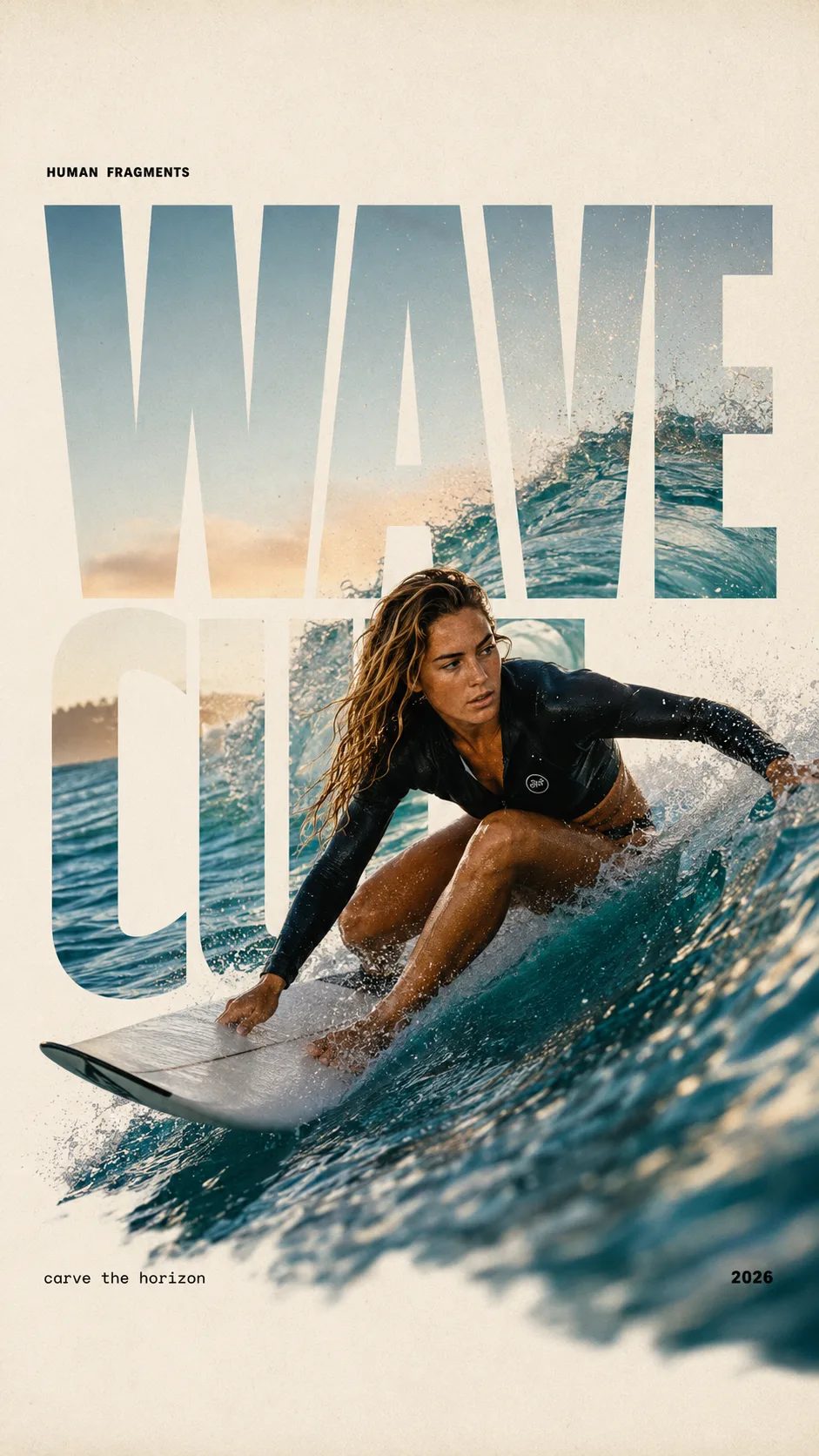
HUMAN FRAGMENTS editorial poster sample

Create a 9:16 editorial poster in the HUMAN FRAGMENTS visual system. Theme: [surfing / basketball / boxing / cake decorating] Subject: [gender, age, appearance, outfit] Action: [specific movement or handcraft] Scene: [location and environment] Title: [custom two-word title] Supporting line: [one short phrase] Year: 2026 Use oversized cropped typography as the main structural framework. The letters should act as windows that reveal the surrounding environment, while the main person remains visually complete in front of the type. Do not let the letters cut through the face, torso, arms, thighs, or other important parts of the body. Let one key action element break beyond the typography to create strong depth: 1. WAVE CUT — a surfer carving across a rising wave, with the board nose, hand, water spray, and curled wave breaking outside the letters. 2. RIM RISE — a basketball player reaching toward the hoop from a camera placed above the rim, with the basketball, hand, and hoop fully outside the letter masks and aligned naturally. 3. IMPACT FRAME — a boxer throwing a straight punch toward the camera, with the foreground glove enlarged and breaking beyond the typography while the gym remains inside the letters. 4. SOFT SWIRL — a graceful young woman decorating a cake, with the piping bag, hands, cake, and cream details extending beyond the letters while the bakery interior appears inside the type. Use realistic photography, believable anatomy, natural skin texture, strong foreground perspective, subtle paper grain, a warm off-white background, restrained colors, and clean editorial spacing. Keep the text minimal and freely placed: [Title] HUMAN FRAGMENTS [Short supporting line] 2026

Create a 9:16 editorial poster in the HUMAN FRAGMENTS visual system. Theme: [surfing / basketball / boxing / cake decorating] Subject: [gender, age, appearance, outfit] Action: [specific movement or handcraft] Scene: [location and environment] Title: [custom two-word title] Supporting line: [one short phrase] Year: 2026 Use oversized cropped typography as the main structural framework. The letters should act as windows that reveal the surrounding environment, while the main person remains visually complete in front of the type. Do not let the letters cut through the face, torso, arms, thighs, or other important parts of the body. Let one key action element break beyond the typography to create strong depth: 1. WAVE CUT — a surfer carving across a rising wave, with the board nose, hand, water spray, and curled wave breaking outside the letters. 2. RIM RISE — a basketball player reaching toward the hoop from a camera placed above the rim, with the basketball, hand, and hoop fully outside the letter masks and aligned naturally. 3. IMPACT FRAME — a boxer throwing a straight punch toward the camera, with the foreground glove enlarged and breaking beyond the typography while the gym remains inside the letters. 4. SOFT SWIRL — a graceful young woman decorating a cake, with the piping bag, hands, cake, and cream details extending beyond the letters while the bakery interior appears inside the type. Use realistic photography, believable anatomy, natural skin texture, strong foreground perspective, subtle paper grain, a warm off-white background, restrained colors, and clean editorial spacing. Keep the text minimal and freely placed: [Title] HUMAN FRAGMENTS [Short supporting line] 2026

Why a Multi-Model AI Image Generator Beats a Single Tool

An AI image generator is only as good as the model behind it. One model is sharp on photoreal portraits but blurs typography; another nails text inside the image but ignores tight composition rules; a third is fast but soft on detail. Locking yourself into a single generator means accepting one set of trade-offs for every job. AI Image Studio gives you every leading AI image generator from one prompt — switch models with a dropdown, keep your prompt and reference images, and pick the result that fits.

How it works

Run the AI Image Generator in Three Steps

From a blank prompt to a downloadable image — no setup, no separate accounts, no per-model billing.

  1. 1

    Pick a model from the picker

    Browse the AI image generator catalog in the dropdown — each model carries a credit badge and a short description so you know which one fits today's brief. Switching is one click; your prompt and reference images stay loaded.

  2. 2

    Write a prompt or drop a reference

    Describe what you want in plain language, or upload a reference photo and ask the AI image generator to edit, restyle, or extend it. Most models accept JPG, PNG, and WEBP up to 10 MB.

  3. 3

    Run, compare, download

    Hit generate and watch the AI image generator render in seconds. Run as many variations as you need — failed runs refund credits automatically. Outputs include a commercial-use license on paid plans.

Who Uses This AI Image Generator

Different models suit different jobs — AI Image Studio lets each user pick the right AI image generator without leaving the page.

  • Designers

    Designers compare two or three AI image generators on the same prompt before committing to one. Because every model shares one workspace, an exploratory phase that used to mean three tabs and three accounts now takes one prompt and three clicks.

  • Content Creators

    Creators batch-generate thumbnail and post visuals with the AI image generator best at on-image text, then switch to a faster model for the bulk of variations. The picker keeps the prompt, so iterating is friction-free.

  • Marketers

    Marketers test campaign visuals across multiple AI image generators to find the one that lands the brand voice. Same prompt, multiple models, side-by-side outputs — picking a winner takes minutes, not a weekend.

  • Educators

    Educators generate illustrations and labeled diagrams with the AI image generator that handles captions cleanly, switching to a stylized model for cover art on the same lesson. One workspace covers the whole curriculum.

What's included

Everything an AI Image Generator Should Ship With

  • Every leading model in the picker

    The AI image generator picker is the workspace's nervous system. Each entry is a real production model — not a stale snapshot — kept current as providers release new versions.

  • Image-to-image editing built in

    Every i2i-capable AI image generator in the picker accepts a reference image: restyle a photo, change a background, swap an object, or extend the scene without re-uploading between models.

  • Premium and standard credits

    Free credits on signup, refreshable via daily check-in. Use them on standard generators; Premium models use subscription or purchased credits.

  • Commercial-use license on paid plans

    Outputs from every AI image generator ship with commercial-use rights on paid plans. The legal page lists exact terms.

  • Prompt + reference history that follows you

    Switch AI image generators and your prompt + uploaded references stay loaded. Iterating across models is a dropdown, not a paste-and-re-upload chore.

  • Automatic refunds on failed runs

    Server errors, model timeouts, content filters — any AI image generator run that fails refunds your credits automatically. You only pay for outputs you keep.

Frequently Asked Questions About the AI Image Generator

Is this AI image generator free?

Yes — new accounts get free credits on signup for standard models and tools. Free credits refresh through daily check-in and referral; Premium models use subscription or purchased credits, and paid plans start when you need more volume or commercial-license outputs.

Which AI image generator should I pick?

It depends on the job. gpt-image-2 is the most reliable for posters and packaging where in-image text matters. Nano Banana Pro is the photoreal portrait specialist. Grok Imagine is fast and stylized. The picker shows badges and descriptions so you can choose without leaving the workspace.

Can the AI image generator edit an existing image?

Yes — most models in the picker support image-to-image editing. Upload a reference, describe the change, and the generator applies object-level edits while leaving the rest of the scene intact. Switch models freely; the reference image carries across switches.

What input formats and sizes does the AI image generator support?

Every model accepts JPG, PNG, and WEBP references up to 10 MB. Output sizes depend on the selected model — most support square, portrait, and landscape; some go up to 4K. The picker surfaces the supported sizes when you switch models.

Can I use the AI image generator outputs commercially?

Yes — outputs from every model in the workspace ship with a commercial-use license on paid plans. The legal page lists exact terms.

How does this AI image generator handle failed runs?

Runs that fail mid-generation (server error, content filter, model timeout) refund credits automatically — you only pay for outputs you receive. Long runs are queued so the workspace stays responsive while a generation completes in the background.

Open the AI Image Generator Workspace

Free credits on signup, every leading model under one prompt, commercial-use outputs on paid plans.