

Remove Backgrounds in 3 Seconds with the AI Background Remover
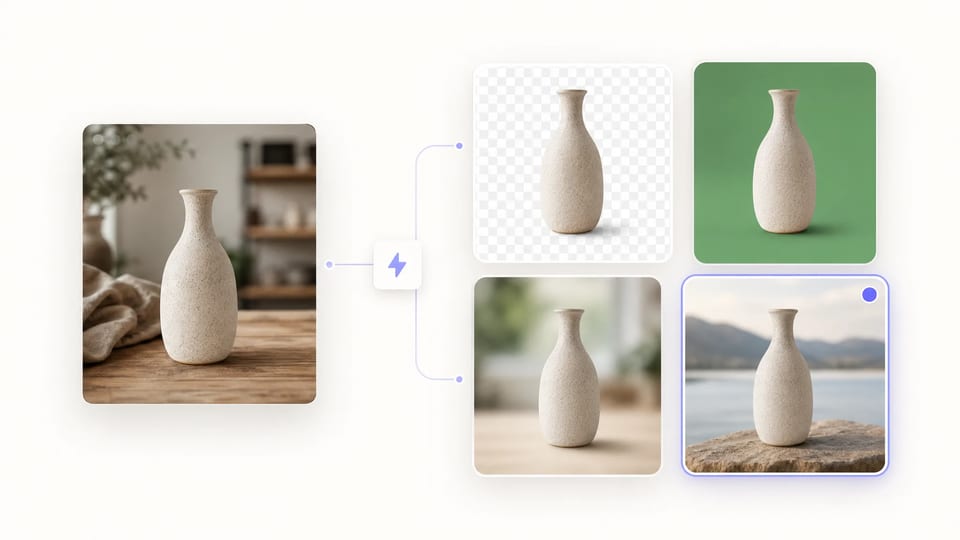
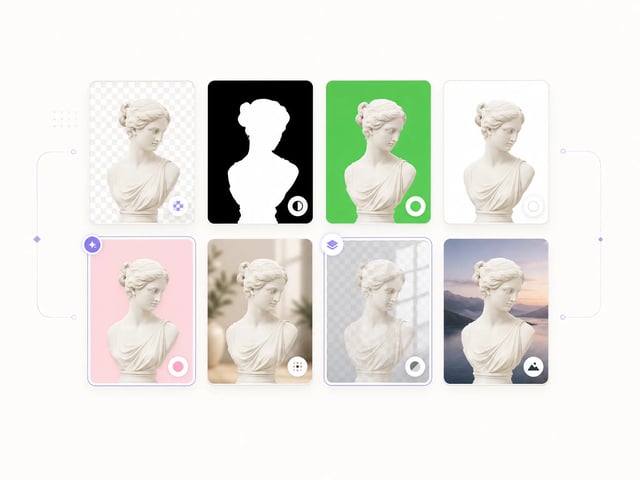
8 output modes — transparent PNG, green screen, blur, custom color, or your own image
The AI Background Remover strips backgrounds from any photo in about three seconds. Powered by the open-source transparent-background model, the AI Background Remover delivers soft-alpha edges that keep hair, fur, and fine detail intact.
- Removes backgrounds in ~3 seconds per image
- Soft-alpha edges keep hair and fur intact
- 8 output modes — PNG, green, blur, custom color
- Drop in your own background image
- Reverse mode extracts background as cutout
- 23M+ runs powered by transparent-background OSS
Why Choose the AI Background Remover for Everyday Image Work
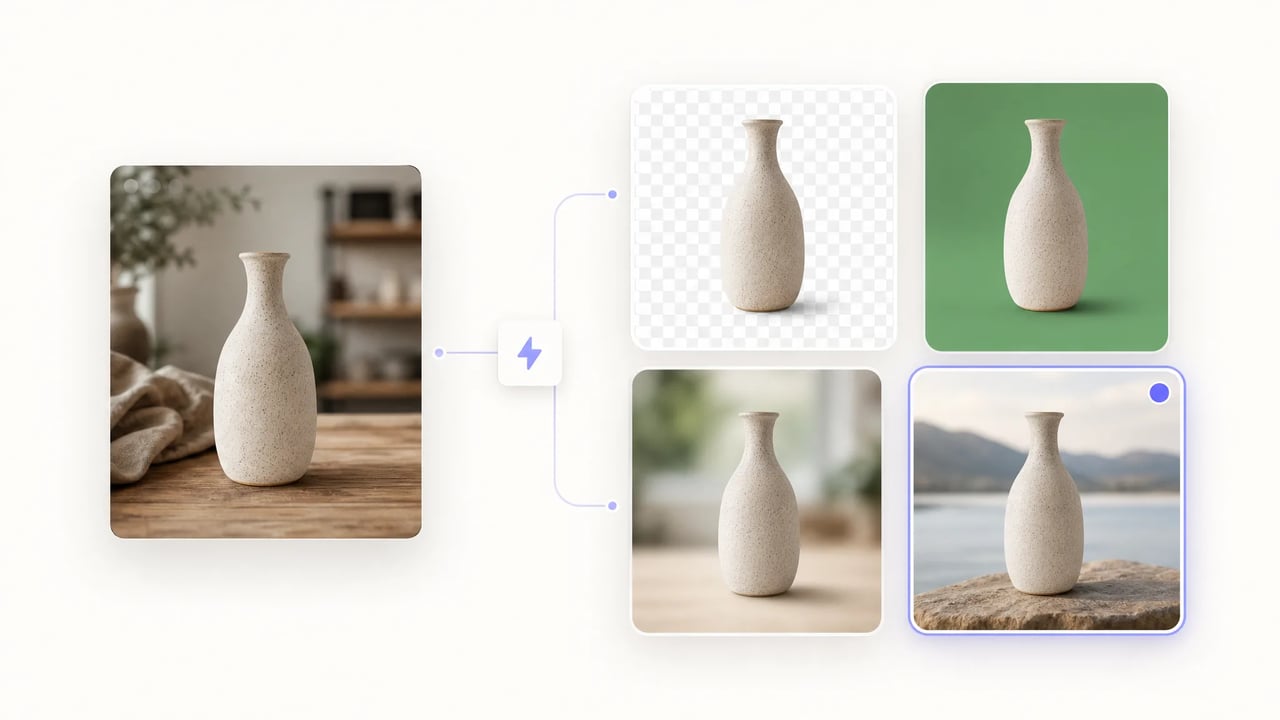
Three-second cutouts, eight output modes, and soft-alpha edges that handle hair and fine detail.
The AI Background Remover is built for designers, e-commerce teams, and creators who need a clean cutout in seconds — not a half-hour Photoshop pass. Powered by the open-source transparent-background model, the AI Background Remover delivers soft-alpha edges on hair and fur, eight output modes from transparent PNG to custom backgrounds, and consistent results across batch jobs.
How to Use the AI Background Remover in 3 Steps
- 1
Upload Your Image
Drop a photo into the AI Background Remover — PNG, JPG, and WebP are all supported. Product shots, portraits, screenshots, and scanned art all work.
- 2
Pick a Background Output Mode
The AI Background Remover offers eight output modes: transparent PNG (default), alpha mask, green screen, white, custom RGB color, blur, overlay, or a custom background image.
- 3
Download in ~3 Seconds
Click generate and the AI Background Remover returns the finished cutout typically within three seconds. Send the result straight to Figma, Canva, or a print template.
Best AI Image Tools for Creative Projects



Why Choose the AI Background Remover
3-Second Background Removal
The AI Background Remover returns a cutout in about three seconds per image — fast enough to batch a product catalog or social media drop in a single sitting. The underlying Replicate model averages roughly a quarter-cent of compute per run, so volume work stays cheap.
Soft-Alpha Edges for Hair and Fine Detail
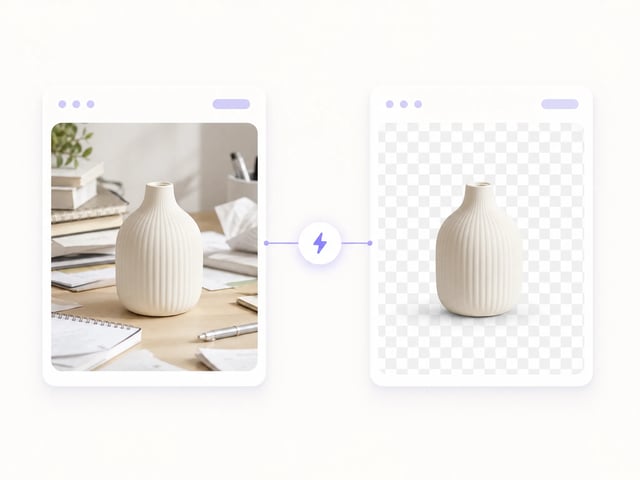
The AI Background Remover defaults to soft-alpha output, preserving hair, fur, lace, and other translucent edges that hard-threshold removers usually mangle. The plemeri/transparent-background backbone is the open-source model the AI Background Remover relies on for fine-detail fidelity.
Eight Background Output Modes
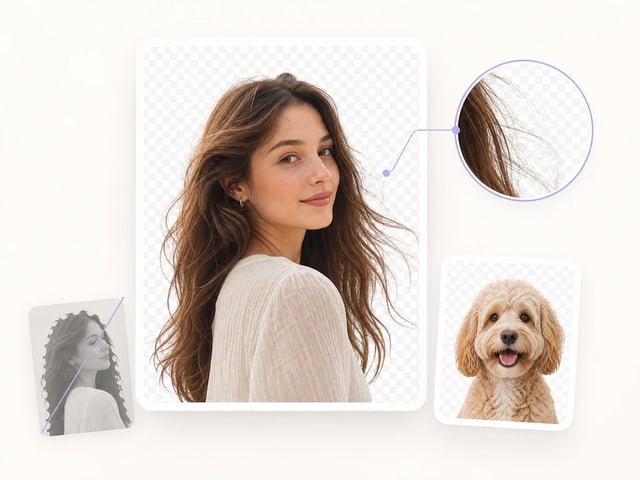
The AI Background Remover supports eight output modes — transparent PNG, alpha mask, green screen, white, custom RGB color, blur, overlay, or a custom background image — so the cutout drops straight into the downstream layout without a manual compositing pass.
Reverse Mode for Background Extraction
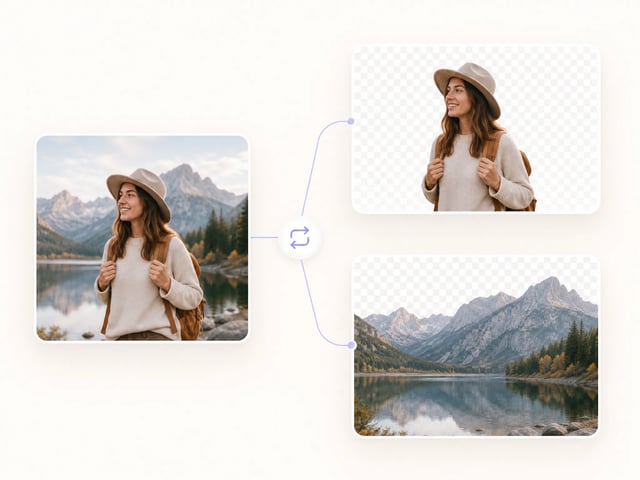
The AI Background Remover can flip the mask direction: instead of removing the background, the AI Background Remover returns the background itself as the output. Backplate compositing, surface-only edits, and texture extraction all benefit from this reverse mode.
Use Cases of the AI Background Remover
-
E-commerce Product Photographers
Product photographers use the AI Background Remover to deliver consistent white or transparent backdrops for every PDP shot. Because the AI Background Remover processes each photo in about three seconds, a full catalog batch finishes during a single coffee break.
-
Portrait and Headshot Photographers
Headshot photographers use the AI Background Remover to deliver studio-clean portraits without renting a green screen rig. Because the AI Background Remover preserves soft hair edges, the final cutout looks shot, not chopped.
-
Social Media Content Creators
Creators use the AI Background Remover to drop transparent PNG stickers into Instagram Story, Reels, and TikTok overlays. Because the AI Background Remover ships PNG output by default, the cutout is ready for the next layer in seconds.
-
Graphic Designers
Designers use the AI Background Remover to extract subjects before composing banners, decks, and brand layouts in Figma or Canva. Because the AI Background Remover offers eight output modes, the cutout matches the destination canvas without a Photoshop detour.
-
Print-on-Demand Sellers
Print-on-demand sellers use the AI Background Remover to prep graphics for T-shirts, mugs, and stickers that require crisp transparent edges. Because the AI Background Remover handles fine detail cleanly, the printed result keeps the original linework.
-
Marketing Teams
Marketing teams use the AI Background Remover to lift hero models out of stock shots and drop them into lifestyle backgrounds. Because the AI Background Remover supports overlay and custom-image modes, the composite ships without an extra editor pass.
Frequently Asked Questions About the AI Background Remover
What is the AI Background Remover?
The AI Background Remover is a one-click tool that strips backgrounds from photos and ships a clean cutout in about three seconds. The AI Background Remover is powered by 851-labs' open-source transparent-background model on Replicate, which has accumulated more than 23 million runs.
How fast is the AI Background Remover?
The AI Background Remover typically returns a cutout within three seconds per image. Batches of product photos, headshots, or social posts run in seconds rather than minutes — Replicate quotes roughly $0.00054 of compute per image.
What background output modes does the AI Background Remover support?
The AI Background Remover offers eight output modes: transparent PNG (default), alpha mask, green screen, white, custom RGB color, blur, overlay, and custom background image. Picking a mode at upload time skips a manual Photoshop step downstream.
Does the AI Background Remover handle hair and fine details?
Yes — the AI Background Remover defaults to soft-alpha output, preserving hair, fur, lace, and other translucent edges that hard-threshold removers usually mangle. The underlying transparent-background model is specifically tuned for fine-detail fidelity.
Is the AI Background Remover free to try?
Yes, every new account gets free credits to try the AI Background Remover. Each run costs one credit, so the starter credit pack covers a full product-catalog batch — see the pricing page for credit packs and subscription plans.
Can I use the AI Background Remover output commercially?
Yes, the cutouts produced by the AI Background Remover are yours to use commercially — product listings, advertising, social posts, print-on-demand merchandise, and broadcast pieces. Confirm your account plan covers commercial use before publishing.
Are my uploaded images stored?
Images sent to the AI Background Remover are processed via the Replicate API and held only as long as the prediction needs to complete. The AI Background Remover does not retain your originals for training, and outputs sit in your account so you can re-download or delete them.
Remove Backgrounds in 3 Seconds — Try the AI Background Remover
Free credits to try the AI Background Remover. Drop an image, pick a background mode, download a clean cutout in seconds.