

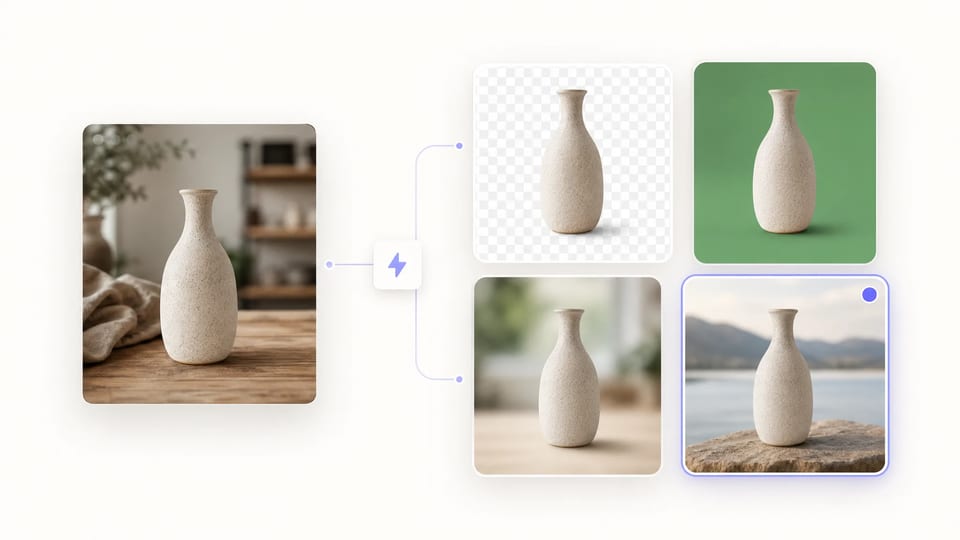
3 秒去掉图片背景,靠的是 AI Background Remover
8 种输出模式 · 透明 PNG · 绿幕 · 模糊 · 自定义颜色 · 自定义背景图
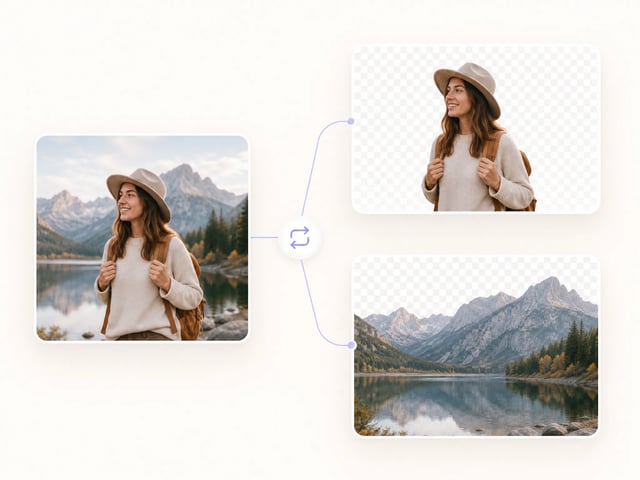
AI Background Remover 大约 3 秒就能把任意照片的背景抠掉。底层跑的是开源 transparent-background 模型,AI Background Remover 输出软 alpha 边缘,头发、毛发、蕾丝这类细节不会被硬切坏。
- 单张约 3 秒去除背景
- 软 alpha 边缘,头发毛发不丢
- 8 种输出模式——PNG、绿幕、模糊、自定义颜色
- 可指定你自己的背景图
- 反向模式:把背景而不是主体抠出来
- 底层开源 transparent-background,累计 2300 万次运行
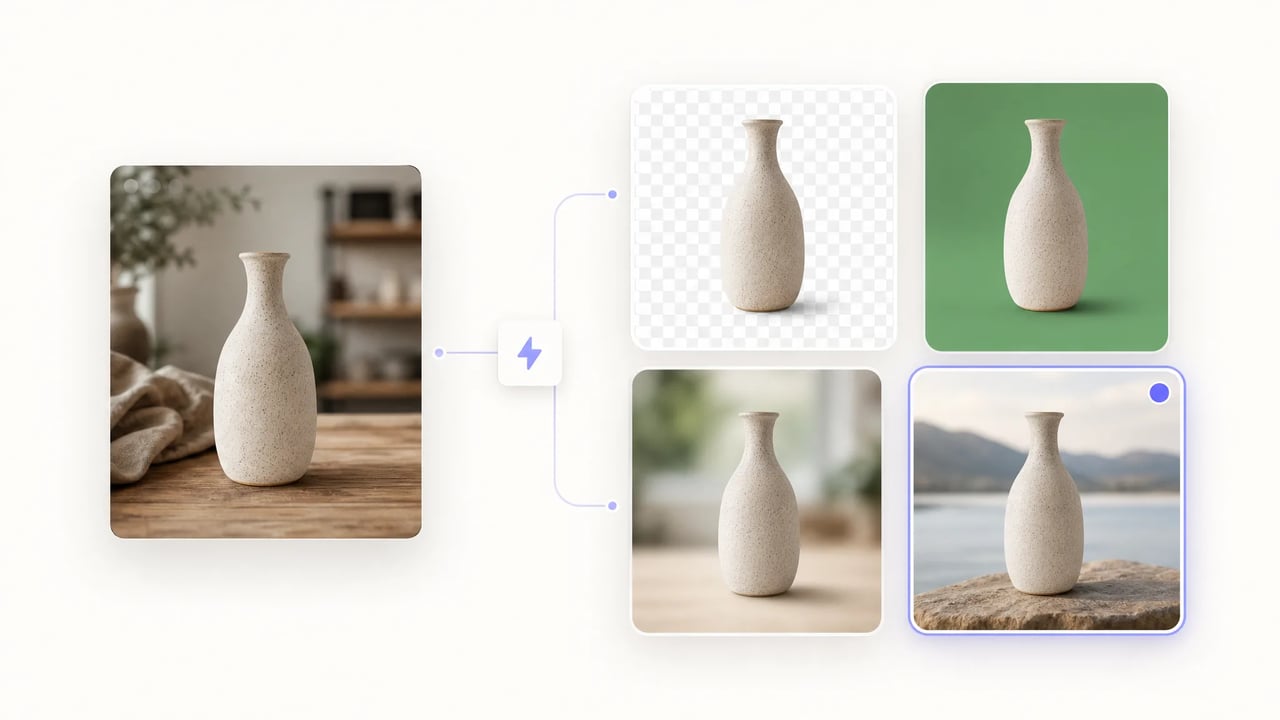
为什么用 AI Background Remover 处理日常图像工作
3 秒抠图、8 种输出模式、保住头发和细节的软 alpha 边缘。
AI Background Remover 是为设计师、电商团队和创作者准备的——需要的是几秒内拿到干净抠图,而不是花半小时过 Photoshop。底层跑的是开源 transparent-background 模型,AI Background Remover 在头发与毛发上保留软 alpha 边缘、提供从透明 PNG 到自定义背景的 8 种输出模式、批处理结果稳定一致。
3 步用 AI Background Remover 抠图
- 1
上传你的图片
把照片拖进 AI Background Remover——PNG、JPG、WebP 都行。产品图、人像、截图、扫描稿都能处理。
- 2
选输出背景模式
AI Background Remover 提供 8 种输出模式:透明 PNG(默认)、alpha mask、绿幕、白底、自定义 RGB 颜色、模糊、overlay、自定义背景图。
- 3
3 秒内下载
点击生成,AI Background Remover 通常 3 秒内返回抠好的图。结果可以直接拖进 Figma、Canva 或印刷模板里。
更多 AI 图像创作工具
为什么选 AI Background Remover
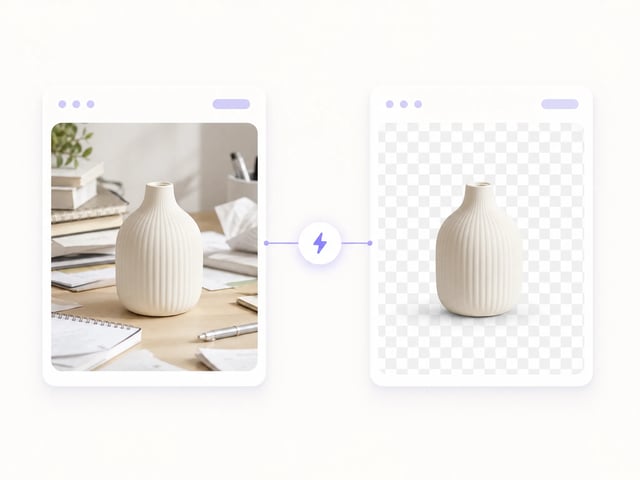
3 秒抠图
AI Background Remover 单张约 3 秒出结果——一整批产品目录或一波社媒素材可以一口气跑完。底层 Replicate 模型每次推理只要约半美分算力成本,量大也不肉疼。
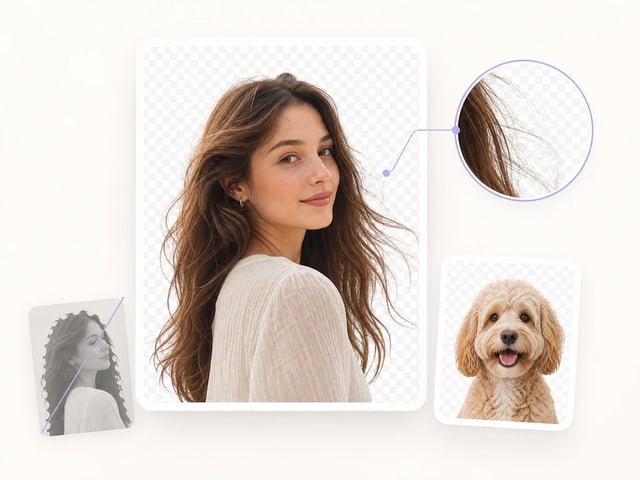
软 alpha 边缘,保头发与细节
AI Background Remover 默认输出软 alpha,能保住头发、毛发、蕾丝等半透明边缘——硬阈值抠图工具往往把这些切坏。底层 plemeri/transparent-background 是 AI Background Remover 用来保细节的开源模型。
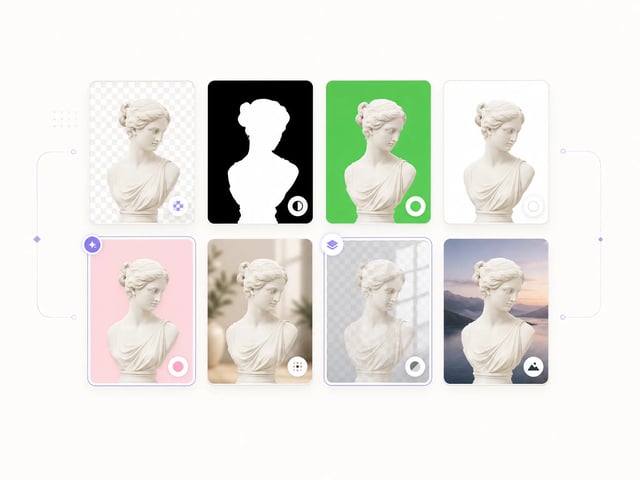
8 种背景输出模式
AI Background Remover 支持 8 种输出——透明 PNG、alpha mask、绿幕、白底、自定义 RGB 颜色、模糊、overlay、自定义背景图——抠出来直接接到下游版式里,不必再手工合成。
反向模式:抠背景而不是主体
AI Background Remover 可以反转 mask 方向——把背景而不是主体作为输出。Backplate 合成、纯表面修图、纹理提取等场景,都靠 AI Background Remover 的反向模式拿到原本要扔掉的那一半。
AI Background Remover 的应用场景
-
电商产品摄影师
产品摄影师用 AI Background Remover 给每张 PDP 图统一白底或透明背景。因为 AI Background Remover 单张约 3 秒,整批产品目录在喝一杯咖啡的时间内就能跑完。
-
人像与头像摄影师
头像摄影师用 AI Background Remover 在不租绿幕棚的前提下交付影棚级人像。因为 AI Background Remover 能保头发的软边缘,最终抠图看起来是拍出来的,不是切出来的。
-
社媒内容创作者
创作者用 AI Background Remover 抠出透明 PNG 贴纸,贴到 Instagram Story、Reels、TikTok 视频里。因为 AI Background Remover 默认就出 PNG,抠图秒接到下一层素材。
-
平面设计师
设计师用 AI Background Remover 把主体扣出来,再到 Figma 或 Canva 里组合 banner、提案、品牌版式。因为 AI Background Remover 提供 8 种输出模式,抠图能匹配下游画布而不必绕 Photoshop。
-
Print-on-Demand 卖家
印 T 恤、马克杯、贴纸的卖家用 AI Background Remover 准备需要清晰透明边缘的图。因为 AI Background Remover 细节处理干净,印出来的成品保住了原线条。
-
营销团队
营销团队用 AI Background Remover 把模特从 stock 图里抠出来,再丢到生活方式背景里做广告。因为 AI Background Remover 支持 overlay 和自定义背景图模式,合成不必再过一遍编辑。
关于 AI Background Remover 的常见问题
AI Background Remover 是什么?
AI Background Remover 是一个一键抠图工具,约 3 秒就能把照片背景去掉、返回干净的抠图。AI Background Remover 底层跑的是 851-labs 在 Replicate 上的开源 transparent-background 模型,累计运行已超过 2300 万次。
AI Background Remover 有多快?
AI Background Remover 单张图通常 3 秒内返回结果。一批产品图、头像或社媒素材以秒计而不是分钟计——Replicate 报价每张算力成本约 0.00054 美元。
AI Background Remover 支持哪些背景输出模式?
AI Background Remover 提供 8 种输出模式:透明 PNG(默认)、alpha mask、绿幕、白底、自定义 RGB 颜色、模糊、overlay、自定义背景图。上传时就选好模式,下游能省一道 Photoshop 手工合成。
AI Background Remover 能处理头发和细节吗?
能——AI Background Remover 默认输出软 alpha,能保住头发、毛发、蕾丝这类半透明边缘,硬阈值抠图工具往往把这些切坏。底层 transparent-background 模型本身就是为细节保真度调优的。
AI Background Remover 可以免费用吗?
可以,新账号都送免费积分来试用 AI Background Remover。每次抠图扣 1 积分,starter 积分包足够跑完一整批产品目录——具体积分包和订阅方案详见 pricing 页。
AI Background Remover 的输出可以商用吗?
可以,AI Background Remover 的抠图归你所有,可商用——产品图、广告、社媒贴文、Print-on-Demand 商品、影视片段都能用。上线前请先确认你的账号方案覆盖商用范围。
上传的图片会被保存吗?
发送到 AI Background Remover 的图片走 Replicate API 处理,只在推理完成所需的时间内保留。AI Background Remover 不会留存原图用于训练;输出结果在你账号下,可随时重新下载或删除。
3 秒去掉背景——试用 AI Background Remover
免费积分试用 AI Background Remover。拖一张图进去、选个背景模式、几秒内拿到干净的抠图。