Up to 40% off, limited timeTry Now

Generate Posters, Logos, and UI with Accurate Text Using GPT Image 2

OpenAI's image generator with 4K resolution and six aspect ratios

GPT Image 2 is OpenAI's state-of-the-art image generation and editing model, built to render in-image text legibly across posters, infographics, logos, and UI mockups. Prompts up to 20,000 characters give GPT Image 2 the room to specify exact wording, layout, and visual style in a single pass.

  • Renders legible in-image text for posters, infographics, and UI labels
  • Precise spatial control across six aspect ratios
  • Multi-image editing — up to 16 input images per task
  • Character consistency across multiple illustrations
  • 1K / 2K / 4K resolution output
  • 20,000-character prompts for detailed scenes
GPT Image 2
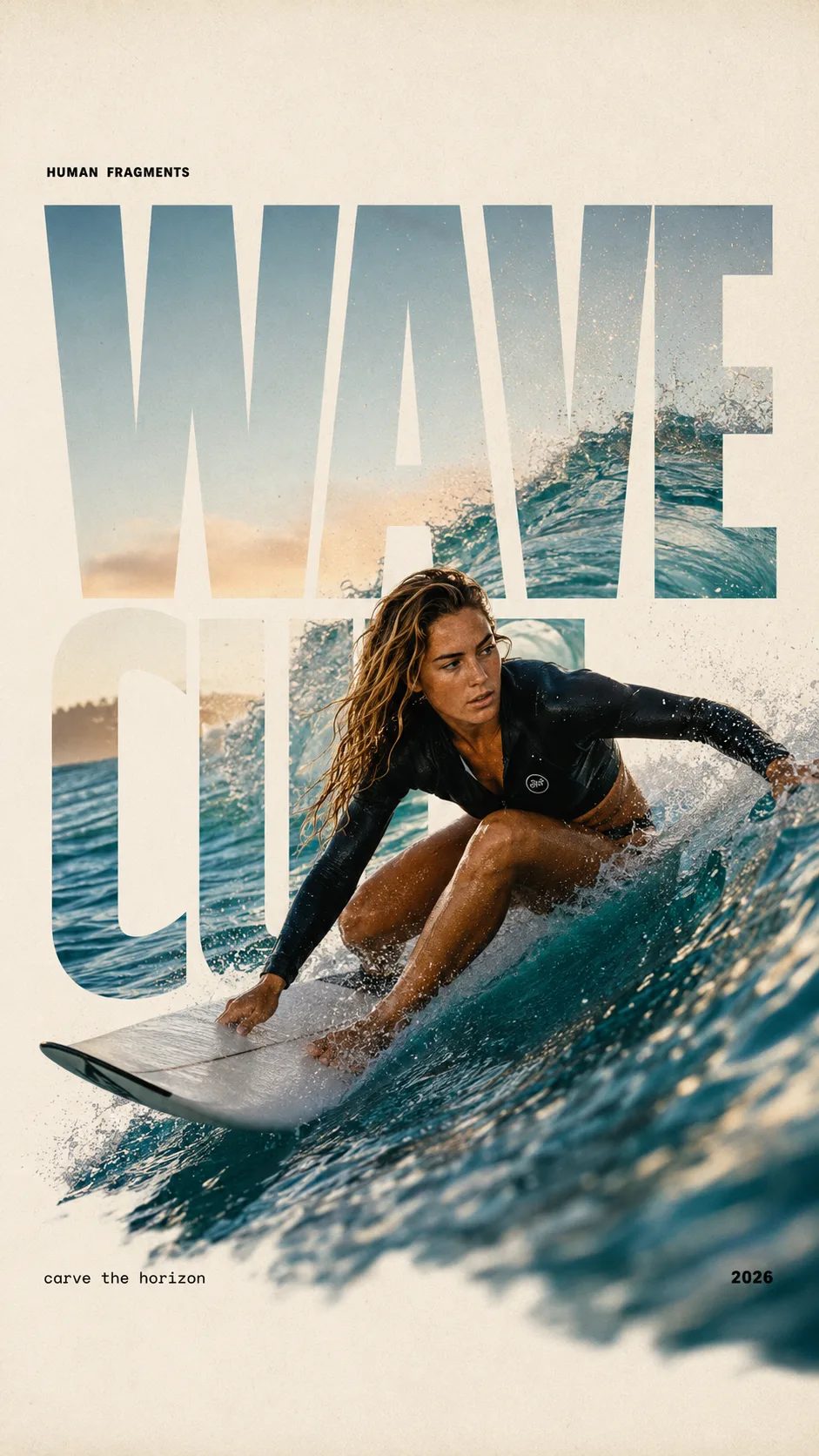
HUMAN FRAGMENTS editorial poster sample

Create a 9:16 editorial poster in the HUMAN FRAGMENTS visual system. Theme: [surfing / basketball / boxing / cake decorating] Subject: [gender, age, appearance, outfit] Action: [specific movement or handcraft] Scene: [location and environment] Title: [custom two-word title] Supporting line: [one short phrase] Year: 2026 Use oversized cropped typography as the main structural framework. The letters should act as windows that reveal the surrounding environment, while the main person remains visually complete in front of the type. Do not let the letters cut through the face, torso, arms, thighs, or other important parts of the body. Let one key action element break beyond the typography to create strong depth: 1. WAVE CUT — a surfer carving across a rising wave, with the board nose, hand, water spray, and curled wave breaking outside the letters. 2. RIM RISE — a basketball player reaching toward the hoop from a camera placed above the rim, with the basketball, hand, and hoop fully outside the letter masks and aligned naturally. 3. IMPACT FRAME — a boxer throwing a straight punch toward the camera, with the foreground glove enlarged and breaking beyond the typography while the gym remains inside the letters. 4. SOFT SWIRL — a graceful young woman decorating a cake, with the piping bag, hands, cake, and cream details extending beyond the letters while the bakery interior appears inside the type. Use realistic photography, believable anatomy, natural skin texture, strong foreground perspective, subtle paper grain, a warm off-white background, restrained colors, and clean editorial spacing. Keep the text minimal and freely placed: [Title] HUMAN FRAGMENTS [Short supporting line] 2026

Create a 9:16 editorial poster in the HUMAN FRAGMENTS visual system. Theme: [surfing / basketball / boxing / cake decorating] Subject: [gender, age, appearance, outfit] Action: [specific movement or handcraft] Scene: [location and environment] Title: [custom two-word title] Supporting line: [one short phrase] Year: 2026 Use oversized cropped typography as the main structural framework. The letters should act as windows that reveal the surrounding environment, while the main person remains visually complete in front of the type. Do not let the letters cut through the face, torso, arms, thighs, or other important parts of the body. Let one key action element break beyond the typography to create strong depth: 1. WAVE CUT — a surfer carving across a rising wave, with the board nose, hand, water spray, and curled wave breaking outside the letters. 2. RIM RISE — a basketball player reaching toward the hoop from a camera placed above the rim, with the basketball, hand, and hoop fully outside the letter masks and aligned naturally. 3. IMPACT FRAME — a boxer throwing a straight punch toward the camera, with the foreground glove enlarged and breaking beyond the typography while the gym remains inside the letters. 4. SOFT SWIRL — a graceful young woman decorating a cake, with the piping bag, hands, cake, and cream details extending beyond the letters while the bakery interior appears inside the type. Use realistic photography, believable anatomy, natural skin texture, strong foreground perspective, subtle paper grain, a warm off-white background, restrained colors, and clean editorial spacing. Keep the text minimal and freely placed: [Title] HUMAN FRAGMENTS [Short supporting line] 2026
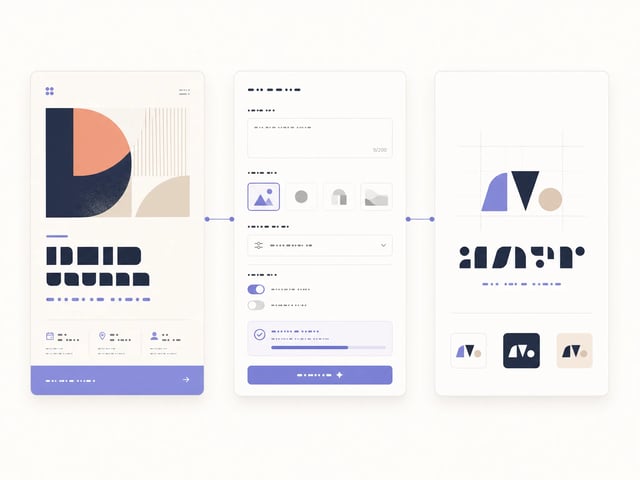
Why Choose GPT Image 2 for Visual Work

Accurate in-image text, precise spatial control, and multi-image editing in a single workspace.

GPT Image 2 is built for designers and product teams who need accurate text inside the image — not just a pretty visual. OpenAI's native multimodal architecture lets GPT Image 2 follow layout instructions precisely, render readable copy on posters and UI mockups, and edit up to sixteen source images in a single generation. Marketing creatives, infographics, logos, and comic frames all benefit from GPT Image 2's combination of spatial control, text fidelity, and character consistency.

How to Generate With GPT Image 2 in Four Steps

  1. 1

    Pick Text-to-Image or Image-to-Image Mode

    GPT Image 2 supports both modes from a single interface. Choose text-to-image to start from scratch, or image-to-image to upload up to sixteen reference images for editing, style transfer, or virtual try-on.

  2. 2

    Enter Your Prompt With Layout and Text Instructions

    Describe the layout and the exact text GPT Image 2 should render — headlines, button labels, data points, brand wordmarks. GPT Image 2 accepts prompts up to 20,000 characters, so detailed instructions land cleanly.

  3. 3

    Adjust Aspect Ratio and Resolution

    GPT Image 2 supports six aspect ratios (auto, 1:1, 9:16, 16:9, 4:3, 3:4) and three resolutions (1K, 2K, 4K). Note that 1:1 cannot be combined with 4K, and the auto aspect ratio always produces 1K output.

  4. 4

    Generate and Download

    Click generate and GPT Image 2 returns a PNG or WebP within seconds. Need character consistency across multiple frames? Reuse the same prompt and reference image with GPT Image 2 to keep facial features and outfits aligned.

Core Capabilities of GPT Image 2

Accurate In-Image Text Rendering

GPT Image 2 renders legible in-image text across posters, infographics, logos, button labels, and UI mockups. GPT Image 2 handles spelling, kerning, and emphasis with a fidelity that style-first generators like Midjourney typically miss, removing the post-export step of pasting text in Figma or Photoshop.

Example poster generated by GPT Image 2 with sharply rendered headline, subline, and call-to-action text

Spatial Layout and Instruction-Following

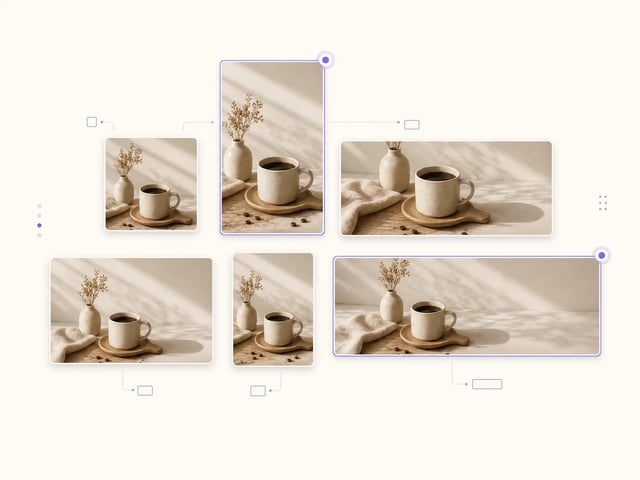
GPT Image 2 places elements precisely per the prompt — a property of OpenAI's native multimodal architecture. Six aspect ratios (1:1, 9:16, 16:9, 4:3, 3:4, auto) and three resolutions (1K, 2K, 4K) let GPT Image 2 fit creatives to social formats, print layouts, and UI canvases without cropping.

Six aspect ratio variants of the same scene generated by GPT Image 2, arranged in a grid

Multi-Image Editing in One Pass

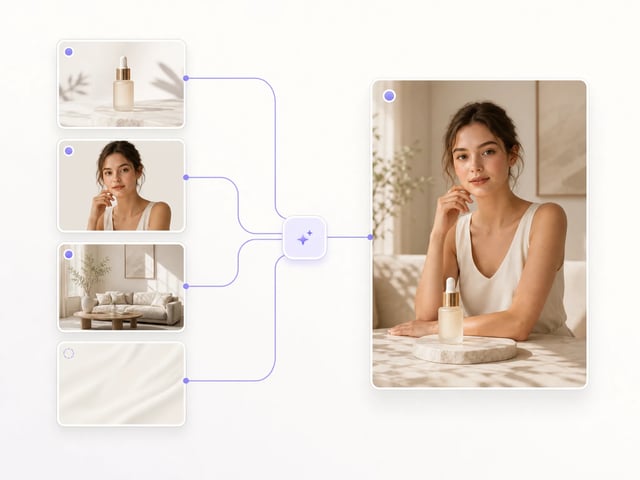
GPT Image 2 accepts up to sixteen input images per task — enough for style transfer, virtual try-on, product mockup composition, lighting adjustment, object removal, and in-image text translation in a single generation. The image-to-image mode shares the same prompt interface as text-to-image.

Before-and-after of multiple product photos composited into a single lifestyle scene by GPT Image 2

Character Consistency Across Outputs

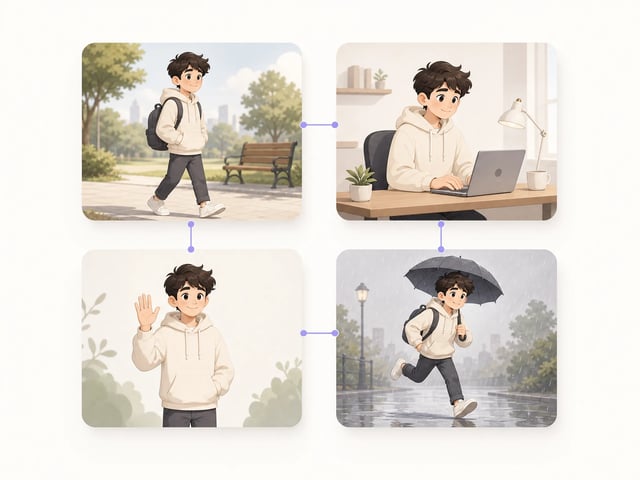
GPT Image 2 maintains a character's facial features, outfit, and proportions across multiple generated illustrations — useful for comics, storybooks, and multi-frame marketing campaigns. Reusing the prompt plus a reference image with GPT Image 2 keeps the cast visually aligned page after page.

Four-panel comic strip showing the same character rendered consistently by GPT Image 2 across different poses and scenes

Primary Applications for GPT Image 2

  • Infographic Designers

    Infographic designers use GPT Image 2 to generate chart titles, data callouts, and annotation labels directly inside the image. Because GPT Image 2 renders text legibly, infographics no longer require a second pass in Illustrator to paste copy onto the canvas.

  • Logo Designers

    Independent logo designers use GPT Image 2 to draft wordmark, tagline, and symbol combinations in one prompt. Because GPT Image 2 handles font weight, kerning, and spatial composition, the first draft is usable as a starting concept rather than as background art.

  • UX/UI Prototypers

    Product designers use GPT Image 2 to mock up screens with real button labels, form fields, and status messages. Because GPT Image 2 keeps text aligned with the underlying layout, the resulting mockups read closer to a real Figma file than to a generic art board.

  • Marketing Teams

    Marketing teams use GPT Image 2 to produce digital banner ads, promo creatives, and social posts with accurate slogans. Because GPT Image 2 places promotional copy precisely where the prompt asks, the round-trips between creative review and final rendering disappear.

  • E-commerce Product Mockup Creators

    E-commerce teams use GPT Image 2 to drop product photos into lifestyle scenes, swap backgrounds, and apply virtual try-on. Because GPT Image 2 accepts up to sixteen input images per task, a full product campaign fits into a single batch.

  • Comic and Storybook Artists

    Comic and storybook artists use GPT Image 2 to keep a character consistent across multiple pages. Because GPT Image 2 maintains facial features and outfit details across outputs, redrawing the same cast on every panel is no longer necessary.

Frequently Asked Questions About GPT Image 2

What is GPT Image 2?

GPT Image 2 is OpenAI's state-of-the-art image generation and editing model. GPT Image 2 supports text-to-image and image-to-image modes from a single interface, and is built around a native multimodal architecture that handles in-image text, spatial layout, and multi-image editing in one pass.

Can GPT Image 2 render accurate text inside images?

Yes — accurate in-image text rendering is the signature differentiator of GPT Image 2. The OpenAI GPT Image 2 generator handles spelling, kerning, and emphasis well enough to produce poster headlines, UI button labels, infographic annotations, and logo wordmarks without manual text overlay in Figma or Photoshop.

Does GPT Image 2 support image-to-image editing?

GPT Image 2 supports image-to-image with up to sixteen input images per task. Use the GPT Image 2 image-to-image mode for style transfer, virtual try-on, product mockup composition, lighting adjustment, object removal, and in-image text translation.

What resolutions and aspect ratios does GPT Image 2 support?

GPT Image 2 supports three resolutions (1K, 2K, 4K) and six aspect ratios (auto, 1:1, 9:16, 16:9, 4:3, 3:4). Note that GPT Image 2 cannot combine 1:1 with 4K, and the auto aspect ratio always produces 1K output.

How much does GPT Image 2 cost per image?

On this site, GPT Image 2 costs five credits for a 1K image, ten credits for 2K, and fifteen credits for 4K. GPT Image 2 is currently marked at 50% off, so the credit cost shown is already the discounted price — see the pricing page for credit packs.

Can I use GPT Image 2 output commercially?

Yes, output from the GPT Image 2 generator is yours to use commercially under the OpenAI usage policy. GPT Image 2 outputs work in posters, advertising, e-commerce mockups, app screenshots, and printed collateral — confirm your account plan covers commercial use before publishing.

What makes GPT Image 2 different from Midjourney or Flux?

GPT Image 2 prioritizes accurate in-image text and spatial control over pure stylization. Midjourney and Flux excel at painterly aesthetics, but GPT Image 2 is the model to reach for when the image needs readable copy, exact layout, or character consistency across multiple frames.

Start Generating Posters and UI With GPT Image 2 Today

Free credits to try GPT Image 2 — OpenAI's image generator with accurate text rendering, multi-image editing, and 4K output.