最高六折,限时立即查看

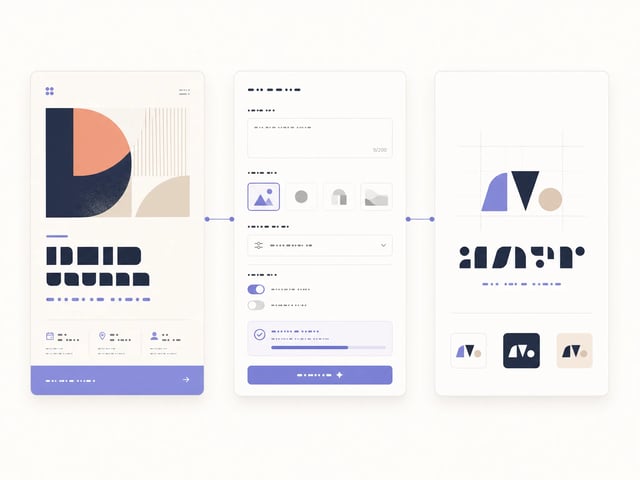
生成精准文字的海报、Logo 与 UI 界面,靠的是 GPT Image 2

OpenAI 出品的图像模型 · 支持 4K 分辨率 · 6 种宽高比

GPT Image 2 是 OpenAI 当前最先进的图像生成与编辑模型,专为在海报、信息图、Logo 与 UI 原型中渲染清晰文字而生。Prompt 上限 20,000 字符,给 GPT Image 2 足够空间精确指定文案、布局和视觉风格。

  • 图内文字清晰可读——海报、信息图、UI 标签都对
  • 精准空间布局,覆盖 6 种宽高比
  • 多图编辑——单次最多 16 张输入图
  • 角色一致性,跨多张插画保持外观稳定
  • 1K / 2K / 4K 三档分辨率输出
  • 20,000 字符 prompt,承载细节描述
GPT Image 2
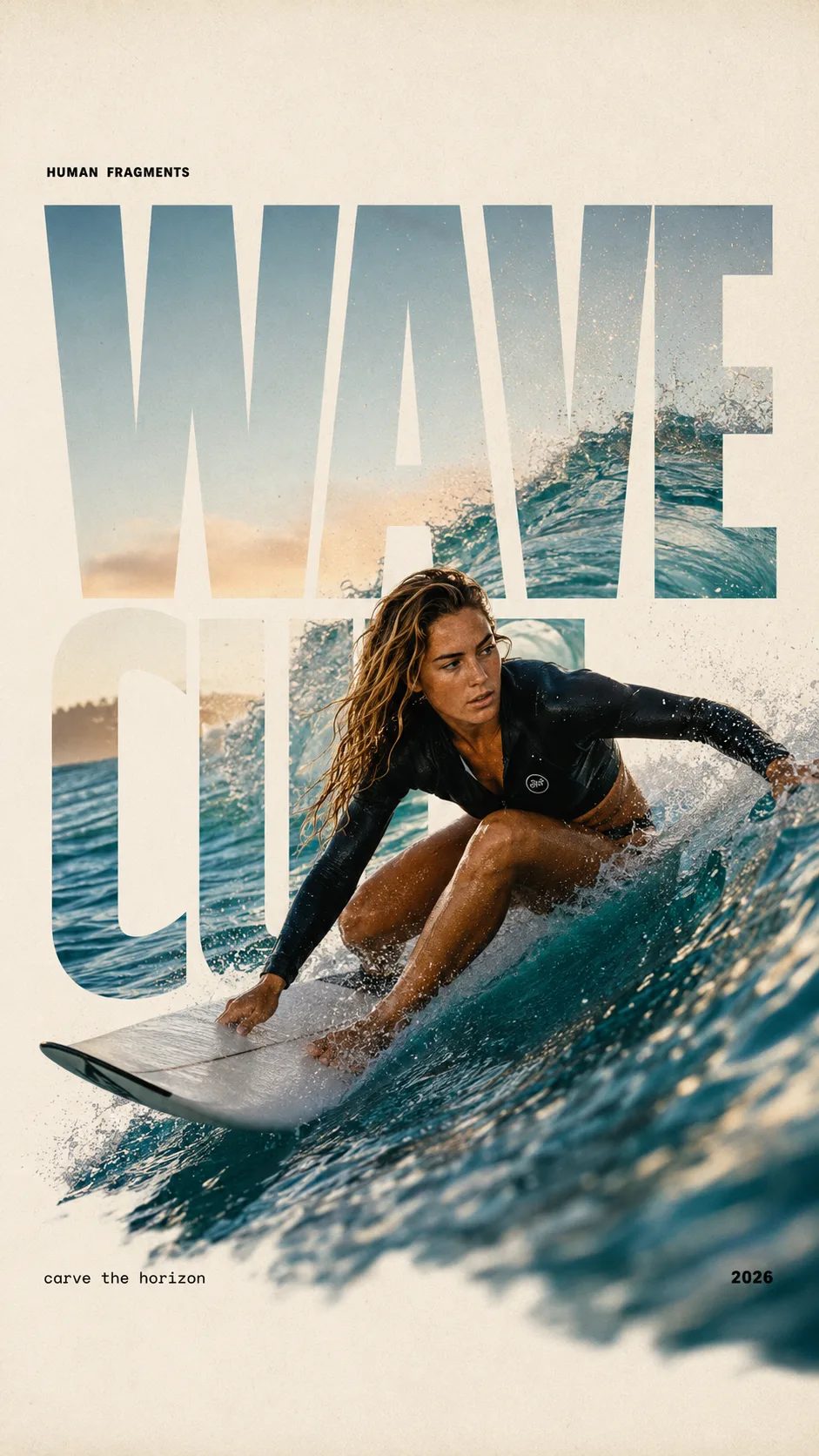
HUMAN FRAGMENTS editorial poster sample

Create a 9:16 editorial poster in the HUMAN FRAGMENTS visual system. Theme: [surfing / basketball / boxing / cake decorating] Subject: [gender, age, appearance, outfit] Action: [specific movement or handcraft] Scene: [location and environment] Title: [custom two-word title] Supporting line: [one short phrase] Year: 2026 Use oversized cropped typography as the main structural framework. The letters should act as windows that reveal the surrounding environment, while the main person remains visually complete in front of the type. Do not let the letters cut through the face, torso, arms, thighs, or other important parts of the body. Let one key action element break beyond the typography to create strong depth: 1. WAVE CUT — a surfer carving across a rising wave, with the board nose, hand, water spray, and curled wave breaking outside the letters. 2. RIM RISE — a basketball player reaching toward the hoop from a camera placed above the rim, with the basketball, hand, and hoop fully outside the letter masks and aligned naturally. 3. IMPACT FRAME — a boxer throwing a straight punch toward the camera, with the foreground glove enlarged and breaking beyond the typography while the gym remains inside the letters. 4. SOFT SWIRL — a graceful young woman decorating a cake, with the piping bag, hands, cake, and cream details extending beyond the letters while the bakery interior appears inside the type. Use realistic photography, believable anatomy, natural skin texture, strong foreground perspective, subtle paper grain, a warm off-white background, restrained colors, and clean editorial spacing. Keep the text minimal and freely placed: [Title] HUMAN FRAGMENTS [Short supporting line] 2026

Create a 9:16 editorial poster in the HUMAN FRAGMENTS visual system. Theme: [surfing / basketball / boxing / cake decorating] Subject: [gender, age, appearance, outfit] Action: [specific movement or handcraft] Scene: [location and environment] Title: [custom two-word title] Supporting line: [one short phrase] Year: 2026 Use oversized cropped typography as the main structural framework. The letters should act as windows that reveal the surrounding environment, while the main person remains visually complete in front of the type. Do not let the letters cut through the face, torso, arms, thighs, or other important parts of the body. Let one key action element break beyond the typography to create strong depth: 1. WAVE CUT — a surfer carving across a rising wave, with the board nose, hand, water spray, and curled wave breaking outside the letters. 2. RIM RISE — a basketball player reaching toward the hoop from a camera placed above the rim, with the basketball, hand, and hoop fully outside the letter masks and aligned naturally. 3. IMPACT FRAME — a boxer throwing a straight punch toward the camera, with the foreground glove enlarged and breaking beyond the typography while the gym remains inside the letters. 4. SOFT SWIRL — a graceful young woman decorating a cake, with the piping bag, hands, cake, and cream details extending beyond the letters while the bakery interior appears inside the type. Use realistic photography, believable anatomy, natural skin texture, strong foreground perspective, subtle paper grain, a warm off-white background, restrained colors, and clean editorial spacing. Keep the text minimal and freely placed: [Title] HUMAN FRAGMENTS [Short supporting line] 2026
为什么用 GPT Image 2 做视觉创作

图内文字精准、空间布局可控、多图同步编辑——一个工作区全包。

GPT Image 2 是为「图内要有准确文字」的设计师和产品团队准备的——不是出张漂亮的画就完。OpenAI 原生多模态架构让 GPT Image 2 能精确按 prompt 布局元素、在海报和 UI 上渲染可读文案,并在单次生成里编辑最多 16 张参考图。营销创意、信息图、Logo、漫画分镜,都受益于 GPT Image 2 的空间控制、文字保真和角色一致性三大能力。

四步用 GPT Image 2 出图

  1. 1

    选择文生图或图生图模式

    GPT Image 2 双模共用同一界面。从零开始选文生图;想编辑/换风格/虚拟试穿则切到图生图,最多上传 16 张参考图。

  2. 2

    输入 prompt,写清布局与文字

    描述布局,并写出 GPT Image 2 要渲染的精确文字——标题、按钮 label、信息图数据、品牌 wordmark 都行。GPT Image 2 接受最长 20,000 字符的 prompt。

  3. 3

    调宽高比与分辨率

    GPT Image 2 支持 6 种宽高比(auto、1:1、9:16、16:9、4:3、3:4)和 3 档分辨率(1K、2K、4K)。注意:1:1 不能选 4K,auto 始终输出 1K。

  4. 4

    生成并下载

    点击生成,GPT Image 2 几秒内输出 PNG 或 WebP。需要跨帧的角色一致性?回到第二步沿用同一 prompt 与参考图,GPT Image 2 会保持人物面部和服装不漂移。

GPT Image 2 的核心能力

图内文字精准渲染

GPT Image 2 能在海报、信息图、Logo、按钮 label 和 UI 原型里渲染清晰可读的文字。GPT Image 2 在拼写、字距和重点强调上做到的保真度,是 Midjourney 这类风格优先模型很难达到的——也就省掉了导出后再到 Figma 或 Photoshop 里贴文字这一步。

GPT Image 2 生成的海报示例,标题、副标和按钮文字清晰可读

空间布局与指令遵循

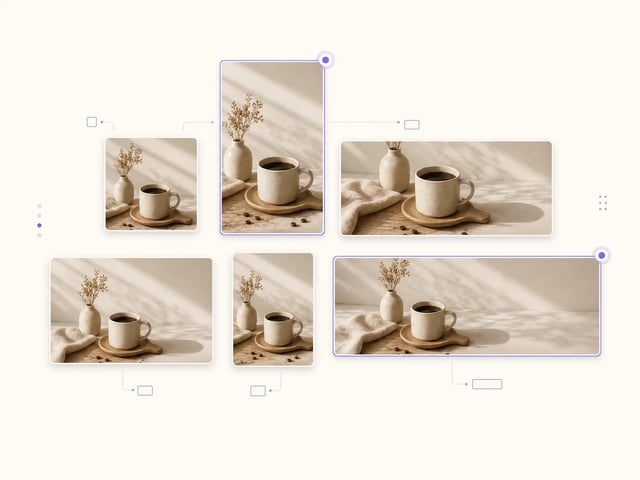
GPT Image 2 严格按 prompt 安排元素位置——这是 OpenAI 原生多模态架构带来的优势。6 种宽高比(1:1、9:16、16:9、4:3、3:4、auto)和 3 档分辨率(1K、2K、4K)让 GPT Image 2 的输出能直接匹配社交、印刷和 UI 各种画布,无需后期裁剪。

GPT Image 2 同一场景在 6 种宽高比下的输出对比

单次最多 16 图编辑

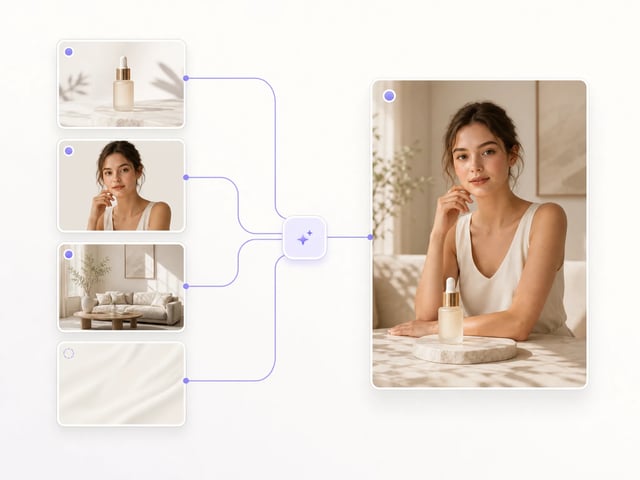
GPT Image 2 单次任务最多接受 16 张输入图——足以在一次生成里完成换风格、虚拟试穿、产品 mockup 合成、光照调整、物体移除和图内文字翻译。GPT Image 2 的图生图模式跟文生图共用同一 prompt 接口。

多张产品图被 GPT Image 2 合成进同一张生活方式场景的前后对比

跨输出的角色一致性

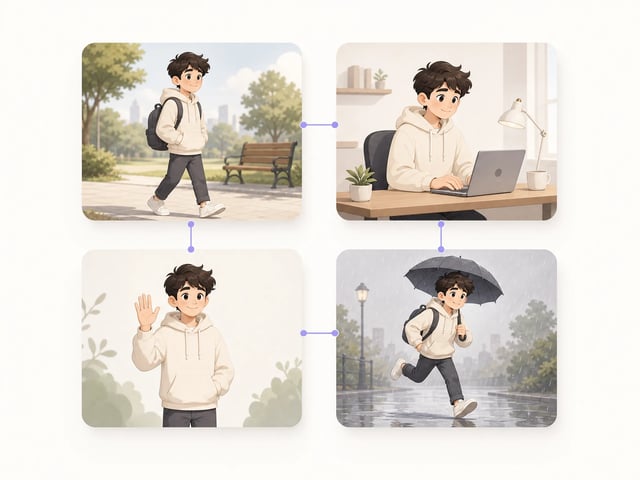
GPT Image 2 能在多张生成图中保持同一角色的面部、服装和身形——适合漫画、绘本和多帧营销 campaign。复用同一 prompt 加参考图,GPT Image 2 让人物形象一页接一页地稳定下来。

GPT Image 2 在 4 格漫画里让同一角色保持外观一致

GPT Image 2 的主要应用

  • 信息图设计师

    信息图设计师用 GPT Image 2 直接在图里渲染图表标题、数据标注和注释 label。因为 GPT Image 2 文字可读性过关,信息图就不必再开 Illustrator 把文案手工贴回画布。

  • 独立 Logo 设计师

    独立 Logo 设计师用 GPT Image 2 在一个 prompt 里同时草拟 wordmark、tagline 和图形组合。因为 GPT Image 2 能搞定字重、字距和空间构图,第一稿就能当起点用,而不是只能当底色素材。

  • UX / UI 原型设计师

    产品设计师用 GPT Image 2 出带真实按钮 label、表单字段和状态文案的 mockup。因为 GPT Image 2 让文字与布局对齐,输出更接近真实的 Figma 文件,而不是泛泛的概念图。

  • 营销团队

    营销团队用 GPT Image 2 做数字横幅、促销海报和社交贴文,把广告文案准确放在画面上。因为 GPT Image 2 能让文字落在 prompt 指定的位置,从创意 review 到出稿的反复来回就省掉了。

  • 电商产品 mockup 创作者

    电商团队用 GPT Image 2 把产品图嵌入生活场景、换背景、做虚拟试穿。因为 GPT Image 2 单次任务支持最多 16 张输入图,一轮产品 campaign 可以在同一批生成里跑完。

  • 漫画与绘本作者

    漫画和绘本作者用 GPT Image 2 在多页之间保持同一角色稳定。因为 GPT Image 2 能跨输出保持面部和服装细节,作者就不必每页重画 reference sheet。

关于 GPT Image 2 的常见问题

GPT Image 2 是什么?

GPT Image 2 是 OpenAI 出品的最先进图像生成与编辑模型。GPT Image 2 在同一界面里支持文生图和图生图两种模式,基于原生多模态架构,能在一次生成里同时搞定图内文字、空间布局和多图编辑。

GPT Image 2 能在图里渲染准确文字吗?

能——图内文字精准渲染就是 GPT Image 2 的招牌差异点。OpenAI GPT Image 2 generator 在拼写、字距和重点强调上做得够好,海报标题、UI 按钮 label、信息图注释和 Logo wordmark 都不必再到 Figma 或 Photoshop 里贴文字。

GPT Image 2 支持图生图编辑吗?

GPT Image 2 支持图生图,单次任务最多接受 16 张输入图。换风格、虚拟试穿、产品 mockup 合成、光照调整、物体移除、图内文字翻译,都走 GPT Image 2 的图生图模式即可。

GPT Image 2 支持哪些分辨率和宽高比?

GPT Image 2 支持 3 档分辨率(1K、2K、4K)和 6 种宽高比(auto、1:1、9:16、16:9、4:3、3:4)。注意:GPT Image 2 不能把 1:1 调到 4K,且 auto 宽高比始终输出 1K。

GPT Image 2 每张图多少积分?

本站使用 GPT Image 2 生成 1K 图收 5 积分、2K 收 10 积分、4K 收 15 积分。GPT Image 2 当前打 5 折,所以这个积分价就是折后价——积分包详见 pricing 页。

GPT Image 2 的输出可以商用吗?

可以,GPT Image 2 generator 的输出在 OpenAI 使用条款下归你所有,可商用。GPT Image 2 的产出能用在海报、广告、电商 mockup、App 截图和印刷品里——上线前请先确认你的账号方案覆盖商用范围。

GPT Image 2 和 Midjourney、Flux 有什么区别?

GPT Image 2 把图内文字准确度和空间控制放在风格化之上。Midjourney 和 Flux 长于绘画式美学,但当画面需要可读文字、精确布局或跨帧角色一致性时,应该用的是 GPT Image 2。

今天就用 GPT Image 2 出海报与 UI

免费试用 GPT Image 2——OpenAI 出品的图像生成器,文字渲染精准、支持多图编辑、最高 4K 输出。